'%3e%3cpath%20d='M19.3359%2018.2109L14.7344%2013.6094C15.875%2012.2188%2016.5625%2010.4375%2016.5625%208.49609C16.5625%204.04297%2012.9492%200.429688%208.49609%200.429688C4.03906%200.429688%200.429688%204.04297%200.429688%208.49609C0.429688%2012.9492%204.03906%2016.5625%208.49609%2016.5625C10.4375%2016.5625%2012.2148%2015.8789%2013.6055%2014.7383L18.207%2019.3359C18.5195%2019.6484%2019.0234%2019.6484%2019.3359%2019.3359C19.6484%2019.0273%2019.6484%2018.5195%2019.3359%2018.2109ZM8.49609%2014.957C4.92969%2014.957%202.03125%2012.0586%202.03125%208.49609C2.03125%204.93359%204.92969%202.03125%208.49609%202.03125C12.0586%202.03125%2014.9609%204.93359%2014.9609%208.49609C14.9609%2012.0586%2012.0586%2014.957%208.49609%2014.957Z'%20fill='%23535B62'/%3e%3c/g%3e%3cdefs%3e%3cclipPath%20id='clip0_12799_29299'%3e%3crect%20width='20'%20height='20'%20fill='white'/%3e%3c/clipPath%3e%3c/defs%3e%3c/svg%3e)

What Is CAD? The Evolution from 2D Drafting to Advanced 3D CAD Software

Computer-aided design (CAD) is software used to create precise 2D drawings and 3D models of parts, products, buildings, and systems. It replaced manual drafting with digital tools that make designs easier to create, edit, analyze, and share. From hand-drawn blueprints to today's cloud-based 3D modeling platforms, CAD has transformed how engineers and designers turn ideas into real products.
In this article, we'll explain what CAD is, how CAD models are made, and how the technology evolved into the powerful tools engineers use today.
What Is CAD?
CAD refers to software that allows users to create accurate 2D drawings and detailed 3D models. Every line, dimension, and surface is mathematically defined, which improves accuracy and makes changes far faster than redrawing by hand.
Many CAD platforms also integrate analysis tools, so teams can simulate stress, motion, or heat before building physical prototypes. Today, CAD is essential across manufacturing, automotive, aerospace, construction, architecture, and product design.
How Are CAD Models Made?
Most 3D CAD models, especially in mechanical engineering, are built using a step-by-step process called parametric modeling.
1. Start with a 2D sketch. The designer draws a basic profile, such as a rectangle, circle, or outline of the part, on a plane. To learn more, read our guide to the basics of 3D model sketching.
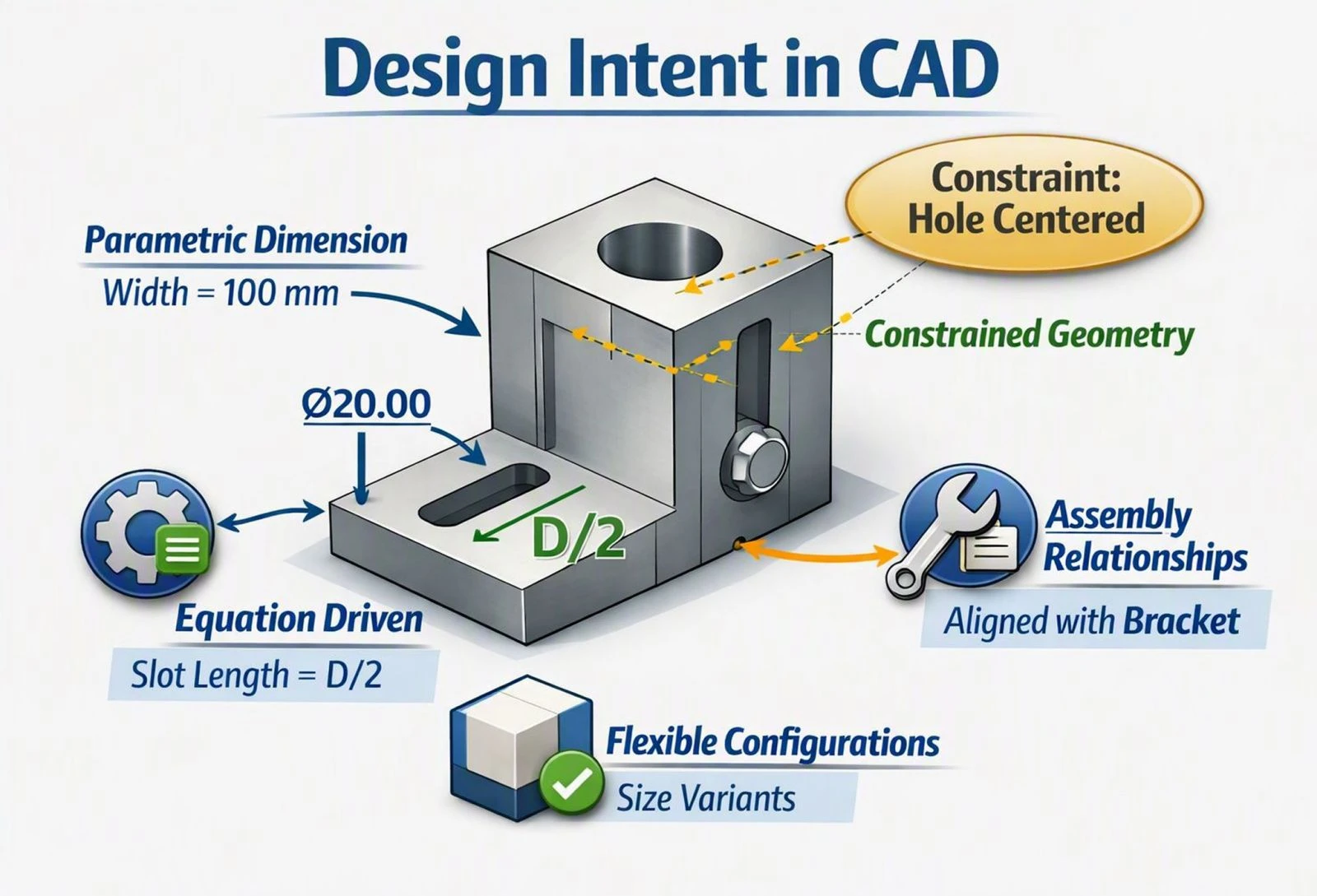
2. Add dimensions and constraints. Dimensions set exact sizes, while constraints define relationships, such as lines being parallel, perpendicular, or equal in length. This keeps the sketch accurate and predictable.
3. Turn the sketch into a 3D shape. Features like extrude (pulling a sketch into a solid), revolve (spinning a profile around an axis), sweep (moving a profile along a path), and loft (blending between profiles) create the 3D geometry.
4. Add details. Holes, cuts, fillets, chamfers, and patterns refine the part. Each feature is recorded in a feature tree, so it can be edited later.
5. Combine parts into assemblies. Individual parts are brought together and connected with mates or constraints that define how they fit and move.
6. Prepare the model for manufacturing. The finished model can be used to create 2D drawings with dimensions and tolerances, or exported to formats like STEP for machining, sharing with suppliers, or 3D printing.
Not every CAD model is made this way. Direct modeling lets users push and pull geometry without a feature history, surface modeling is used for complex curved shapes, and 3D scanning can capture existing objects for reverse engineering. To see the parametric process in action, watch our tutorial on how to create a simple 3D part.
The History and Evolution of CAD
Before Paper: Early Design Records
Long before modern drafting, builders recorded designs on clay tablets, papyrus, and parchment. These records offered basic guidance but were fragile, lacked standardized scales, and had to be recreated whenever designs changed.
The 19th Century: The Rise of Paper Drafting
As paper became easier to produce in the 1800s, engineers and architects created increasingly detailed technical drawings. The blueprint process, introduced in the 1840s, made copying drawings much easier. Still, paper drawings could tear, fade, or be lost, and every change had to be made by hand. This period helped establish many drafting conventions still used today.
The 1950s and 1960s: The First Computer-Aided Design Systems
Computer-aided design began to emerge in the late 1950s and 1960s, as researchers and large manufacturers explored using computers for design and drafting. A major milestone was Sketchpad, developed by Ivan Sutherland at MIT in 1963, which let users draw directly on a screen with a light pen. These early systems laid the foundation for digital drafting.
The 1970s: Commercial CAD Takes Shape
During the 1970s, commercial CAD systems began running on mainframes and minicomputers, mainly in aerospace, automotive, and other large industries that could afford the expensive hardware. These systems introduced digital 2D drafting and early 3D capabilities, and some, like CATIA, which originated at Dassault in the late 1970s, went on to become major CAD platforms.
The 1980s: CAD Comes to the Personal Computer
The introduction of the IBM PC in 1981 made computing far more accessible. In 1982, Autodesk released AutoCAD, one of the first CAD programs for personal computers, bringing digital drafting to smaller firms. Its DWG and DXF formats became widely used for sharing drawings.
The late 1980s brought another breakthrough: Pro/ENGINEER, released by PTC, introduced parametric, feature-based solid modeling, where changing one dimension automatically updates the rest of the model.
The 1990s: 3D Modeling Goes Mainstream
As personal computers became more powerful, 3D CAD became practical for everyday engineering. SolidWorks, released in 1995, was one of the first 3D CAD programs built for Windows, followed by tools such as Solid Edge and Autodesk Inventor. Parametric solid modeling, assembly design, interference checking, and integrated analysis became standard parts of the engineering workflow.
The 21st Century: Integration and the Cloud
Modern CAD platforms combine a wide range of tools. Parametric modeling keeps designs easy to update, direct modeling allows quick edits, and generative design uses algorithms to create optimized shapes. Built-in simulation and CAM tools support analysis and CNC programming, while PDM and PLM integration connects CAD data to the wider product lifecycle.
More recently, cloud-based CAD has made it possible to design directly in a web browser, with centralized data, automatic updates, and real-time collaboration. Learn more in our guide to cloud CAD software.
Future Trends in CAD
The next generation of CAD is being shaped by several technologies:
-
Artificial intelligence to automate repetitive tasks, spot design issues early, and suggest improvements
-
Cloud collaboration for real-time teamwork and access from any device
-
Virtual and augmented reality for exploring and reviewing models in immersive environments
-
Digital twins that connect CAD models with real-world sensor data for monitoring and simulation
-
Additive manufacturing, turning complex CAD designs directly into physical parts
Start Designing with HVH Designer
As CAD continues to evolve, the right platform makes a big difference. HVH Designer is a browser-based CAD platform with parametric modeling, real-time collaboration, and an integrated 3D parts library of manufacturer-certified components, all without installing software. Try HVH Designer and see how easy it is to go from concept to finished design.
Frequently Asked Questions
What is CAD?
CAD, or computer-aided design, is software used to create precise 2D drawings and 3D models of parts, products, and structures.
How are CAD models made?
Most CAD models start as 2D sketches with dimensions and constraints, which are turned into 3D shapes using features like extrude and revolve. Details are then added, and parts are combined into assemblies.
When was CAD invented?
CAD developed during the late 1950s and 1960s, with Ivan Sutherland's Sketchpad in 1963 often considered a major milestone.
What is the difference between 2D and 3D CAD?
2D CAD creates flat drawings with lines and dimensions, while 3D CAD creates digital models with volume that can be viewed from any angle, assembled, and analyzed.
Conclusion
CAD has come a long way, from clay tablets and paper blueprints to parametric 3D modeling and cloud-based platforms. Each stage made design faster, more accurate, and easier to share. Understanding how CAD works and how it evolved helps engineers and designers choose the right tools and make the most of modern design technology.